
"Previously, on our campaign..."
AI D&D Session Recaps and Session Notes, Written for You
Realms of Shod listens to your D&D session and writes the recap for you: a short recap for every scene as the party moves through it, and a session summary once the night wraps up. The NPCs the party met, the towns they passed through, and the cursed sword nobody wants to carry are filed into a realm compendium as they come up, so next week's "wait, what was the innkeeper's name?" has an answer.
No one at the table has to be the note-taker. The DM gets to run the game, the players get to play it, and the session notes still exist the morning after.
What a D&D Session Recap Looks Like
Both examples below are real output from a fantasy campaign played on Realms of Shod, not mockups written for this page.
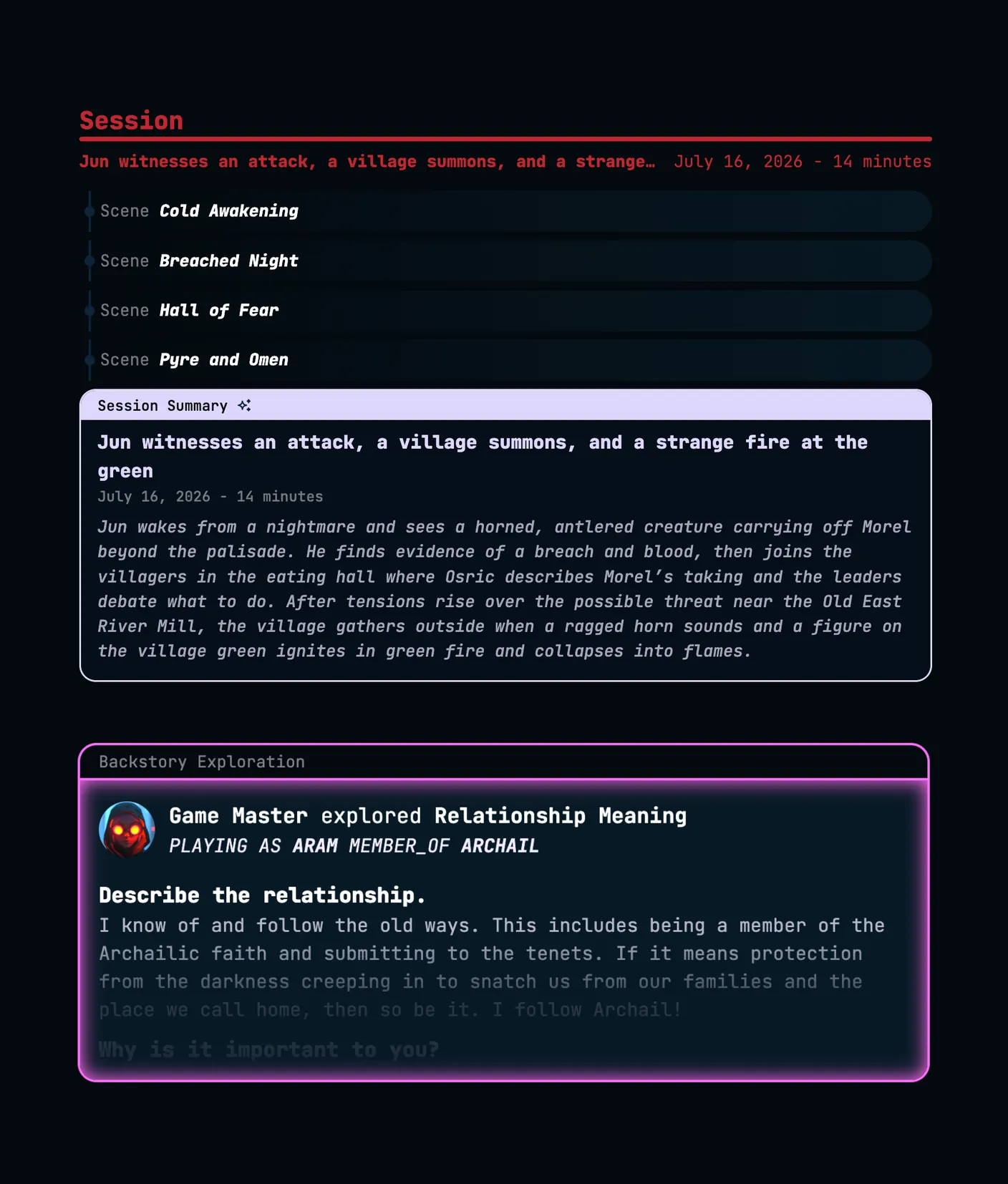
A session summary
A fourteen-minute session, broken into four scenes, summed up in one paragraph. The title line reads "Jun witnesses an attack, a village summons, and a strange fire at the green," followed by:
Jun wakes from a nightmare and sees a horned, antlered creature carrying off Morel beyond the palisade. He finds evidence of a breach and blood, then joins the villagers in the eating hall where Osric describes Morel's taking and the leaders debate what to do. After tensions rise over the possible threat near the Old East River Mill, the village gathers outside when a ragged horn sounds and a figure on the village green ignites in green fire and collapses into flames.
Summaries stay neutral and in the third person. They report what the party did, in order, and they don't invent anything that wasn't said at the table.
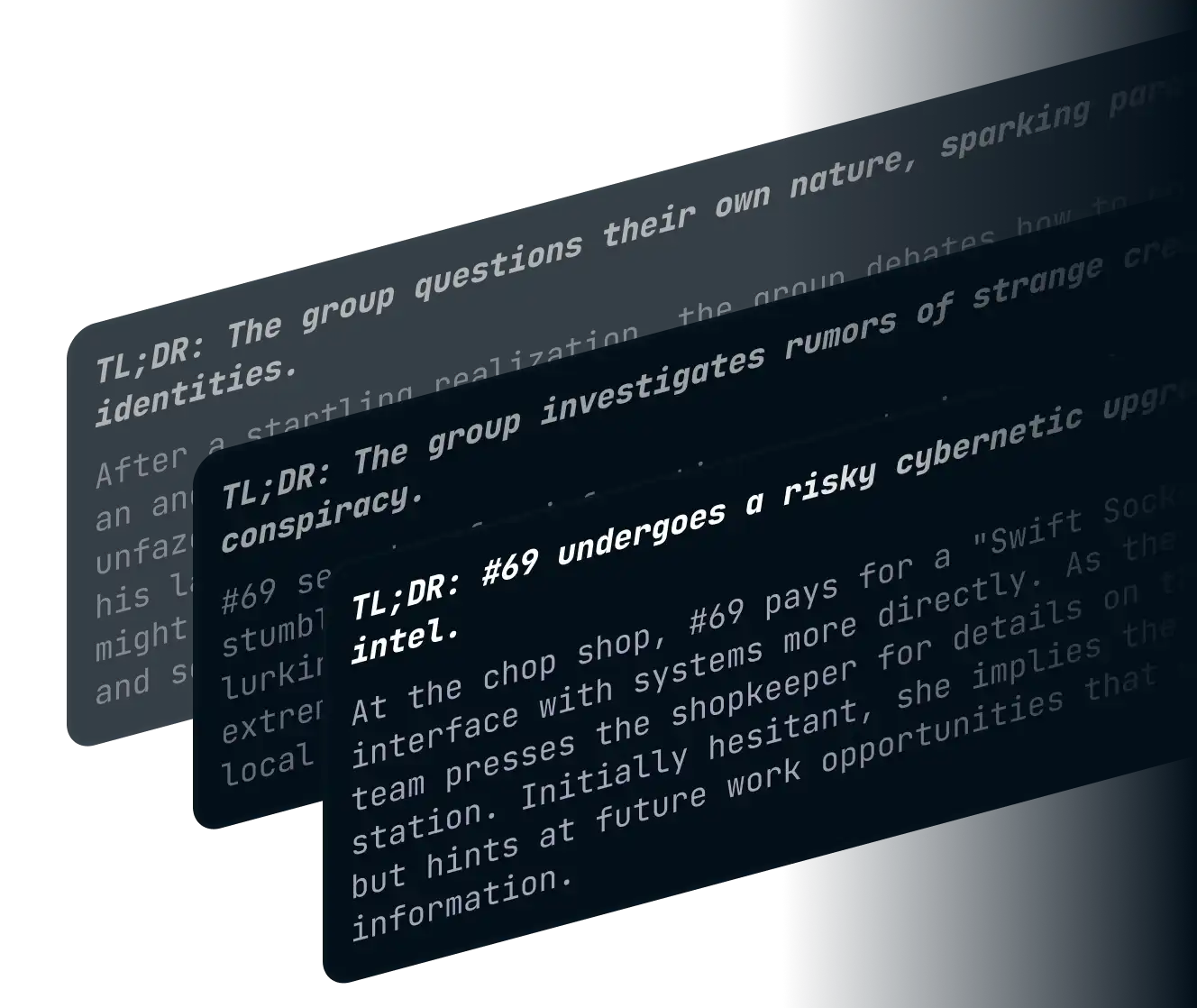
Scene recaps
Each scene gets its own card: a two-or-three-word title, a one-line TL;DR, and a recap of no more than three sentences. Scenes are also tagged by what kind of scene they were, such as combat or diplomacy, so the DM can skim a long campaign for the last big fight or the last tense negotiation without reading every word.
Recaps appear in the Gamestream as each scene closes, which means a player who steps away for a snack comes back to a one-line catch-up instead of an awkward "what did I miss?"
AI Session Notes for the Whole Campaign
A recap covers one night. A campaign runs for months, sometimes years, and the details that matter in session forty were usually said in session four. These are the parts that keep the whole campaign in reach.
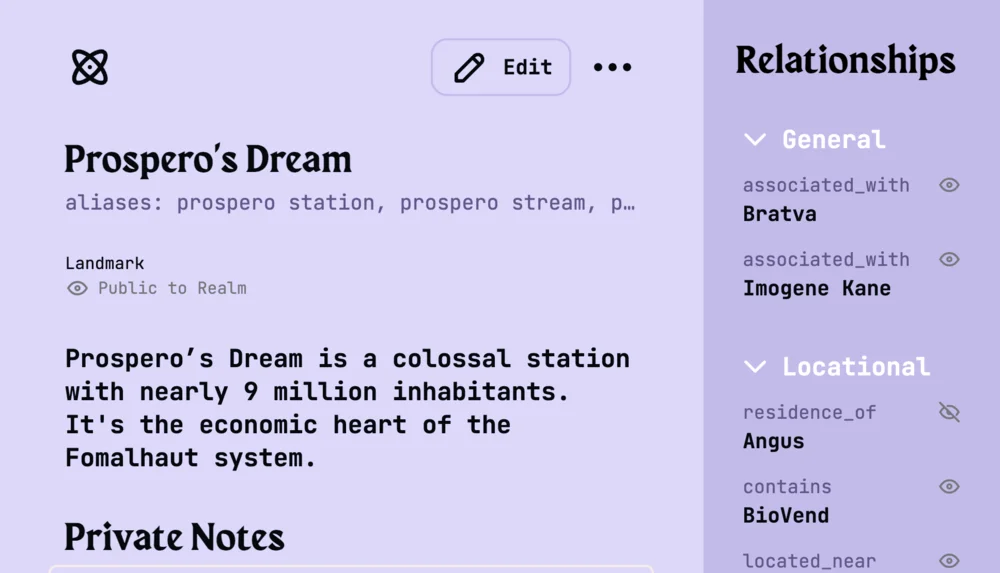
NPCs, places, and loot, filed for you
When the party haggles with a fence, sails to a port city, or pockets a strange amulet, that NPC, that place, and that item become entries in the realm's Compendium without anyone stopping play to write them down. Every later mention links back to the same entry, and each entry keeps track of how it relates to the rest of the campaign: who works for whom, which faction holds which town, where the amulet came from.
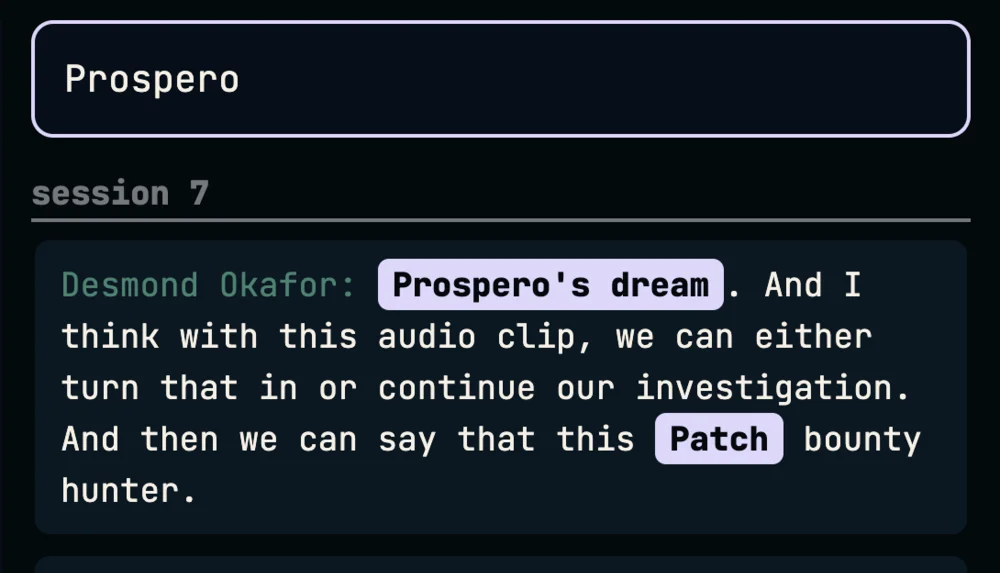
Find the line the campaign hinges on
Three months in, somebody swears the lich promised to spare the village. Search the campaign for it and you land on the exact moment in the session where it was said, with the scene around it. Rules arguments, half-remembered prophecies, and the price the party agreed to pay the ferryman all stop being a matter of whose memory is best.
Your homebrew names, spelled your way
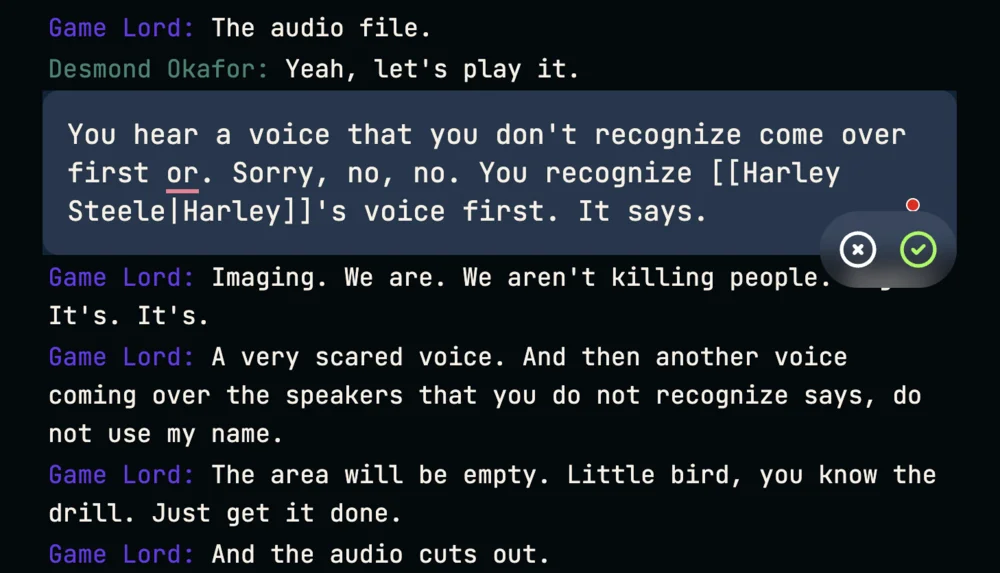
Speech-to-text has never heard of your homebrew god or the elven name your player spent an hour choosing. The first time a name comes out wrong, correct it, and the fix is offered for every other place the same mishearing turned up in the campaign. Nicknames and alternate spellings are saved as aliases on the Compendium entry, so the party calling the bard 'Tamsin', 'Tam', or 'that bard' still points at one NPC.
Getting Your D&D Session Recorded
However your group plays, there is a way to get the session in. All three routes end in the same recaps, the same session summary, and the same compendium of NPCs.
Your party plays over Discord
Invite the Realms of Shod bot to your server and have the DM, or any player with a linked account and some coins, type /start while sitting in the voice channel. The bot transcribes as people talk, and scene recaps show up while the session is still going. How the Discord bot works
Your party plays in the browser
Run the session inside a realm, with voice, video, dice, and chat in one tab, and switch recording on when the party is ready.
Your party plays around a real table
Leave a phone recording in the middle of the table and upload the file after the session. Upload works just as well for the one-shot someone recorded on a whim, or for last month's session that nobody thought to capture live. Live and uploaded transcription, compared
D&D Session Recap FAQ
Will it handle homebrew names?
Yes. Your homebrew kingdom, your warlock's patron, the tavern the party keeps burning down: each one becomes a Compendium entry with its own list of aliases, so a nickname or a garbled spelling still points at the right NPC. When speech-to-text mangles a name the first time it's said, fix it once and the correction is offered for every other place that mishearing turned up across the campaign.
Does it work online and in person?
Both. Online groups can have the Discord bot sit in the voice channel, or play inside a realm in the browser, and recaps build while the session runs. In-person groups can put a laptop on the table with the realm open, or simply record on a phone and upload the file afterwards; the recap, the session summary, and the NPC entries come out the same either way.
Can players read recaps of sessions they missed?
By default, no, and that is on purpose. A player who missed the session gets a rumor instead: a short piece of in-world hearsay about the aftermath that hints at what changed without spoiling what the party saw. The realm owner or an admin, usually the DM, can grant a player full access to a session, or switch rumors off for the whole realm so every recap and summary is open to everyone.
Does it replace the DM?
No. Nothing here runs encounters, voices NPCs, or makes rulings. The DM runs the game exactly as before; the tool listens, writes down what happened, and keeps the campaign's notes in order so the DM spends prep time on the next session rather than reconstructing the last one.
Which editions of D&D does it support?
Any of them, 5th edition, the 2024 rules, older editions, or a table that has houseruled its way somewhere in between. Recaps come from what was said at the table rather than from a rules engine, so the edition never has to be configured.
Should we bring it up at session zero?
Yes. Session zero is the natural place to agree on recording, alongside lines and veils and the rest of the table's expectations. Recording is off until someone turns it on, it can be paused mid-session for out-of-character talk, and the realm owner can delete a session afterwards, audio and transcript included.
Start next session with the recap already written
Nothing about this is specific to Dungeons & Dragons. A Pathfinder table or a Call of Cthulhu investigation gets the same recaps, summaries, and compendium, and those systems may get pages of their own here later. D&D is simply where most groups start.
Creating an account is free, and the starter coins that come with it are there so you can try recaps on a real session before paying for anything. Bring it up at session zero, or just ask the party before the next one.