
Realms Sandbox
Character Sheets
Every player can keep a playable character sheet for their character, right inside the realm. Build it with your game's own creation rules, then roll, track damage, and manage gear at the table.
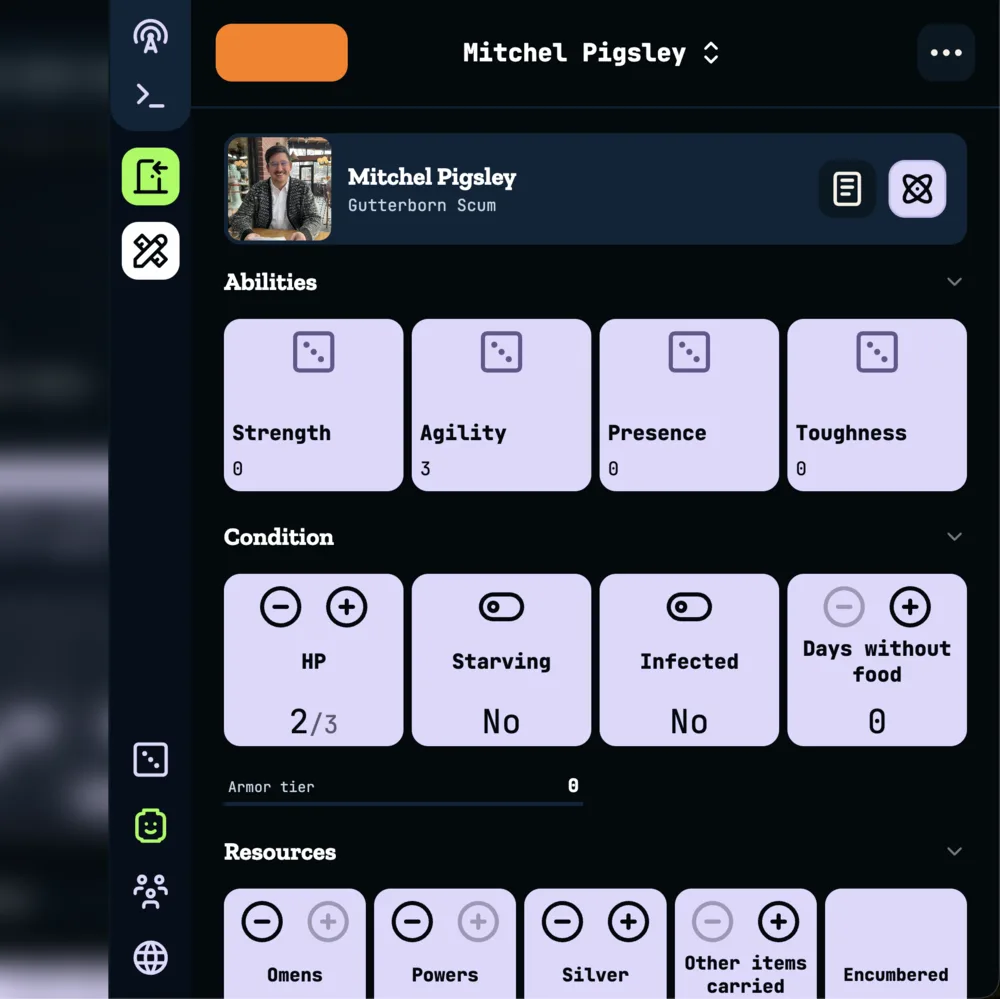
Character sheets are powered by the Open Character Format (OCF), an open-source format for describing tabletop RPG characters and the rules that run them. Each game is an OCF pack: a bundle of its stats, choices, rolls, and items. The format is free for anyone to use, so your character isn't locked inside Realms of Shod.
These games are available today:
D&D 5E (System Reference Document 5.1)
Pathfinder Second Edition (ORC)
Forged in the Dark, with scoundrel and crew packs
Fate Core
MÖRK BORG
Mothership
Realm Owners and Admins choose which games their party plays under Character Packs in the Configure Realm panel. A realm can use more than one pack. When two packs change the same thing, the one lower in the list wins. Add-on packs bring in the packs they build on.
Each pack shows its credit line, and Show License Notices expands any license text the game's publisher requires. The same credits are linked from the bottom of every sheet under Content licenses.
In a realm without packs, characters open straight to their private notes, and Admins see a banner to attach packs.
Open the character panel from the minifig icon in the portal sidebar. Your character is an entity in the Compendium, so it shares its name, images, and relationships with the rest of the realm.
Attach a character
Pick a compendium entity to play as. Collaborators and above can type a new name to create the entity on the spot. If nothing is available, ask your GM to add your character to the compendium.
More than one character
You can attach several characters and switch between their sheets from the header. Switching only changes which sheet you are looking at.
Set as active
Marks the character you are playing right now. Your active character is how the rest of the realm sees you.
Unassign Character
Removes the character from you. The entity stays in the compendium.
A character with no sheet offers each way its game knows to create one.
Guided creation
Walks through the game's own creation steps one question at a time. Dice are rolled for you, choices show how many picks you've made, and you get a recap of everything before finishing.
Random character
Rolls up a complete character in one go, for when you want to jump straight into play.
The sheet follows each game's own layout, with sections you can collapse.
Rolls
Tap a roll to roll it, and the result shows in a toast. Long-press to open the full roll, where situational modifiers sit behind Show Modifiers.
Counters
Use − and + or type a value. In games that have them, the HP tile also runs Take Damage and Heal, rolling any armor or shield dice for you.
Toggles
Yes/No values like Starving or Infected flip with a single tap.
Items
Add items from the game's lists, equip and unequip what you carry, or add your own custom items.
Follow-ups
When the rules call for something, like a level-up or a roll at 0 HP, a banner appears on the sheet. Choices still waiting for an answer collect in a Needs attention card.
Edit Sheet
Change values directly, edit or remove entries, and drag list items into a new order. Edit Sheet and Reset Sheet are in the character options menu. Reset Sheet clears the sheet so you can start over.
The notes button on the character card opens your private notes for that character. These are the same private notes you keep on any entity: only you can see them.
Across the realm, members show up as their active character. The Gamestream, transcripts, chat, and notifications use the character's name, and its first image as the picture. Members without an active character show their account name.
Members and above can attach a character and keep its sheet. Each sheet lives in its player's own character panel, and only that player can change it. See Permissions for every role.
Each sheet remembers the exact version of the rules it was made with. When a pack releases a new version, your sheet moves to it automatically. An "Updated to the new rules" card at the top of the sheet lists what changed, and stays until you dismiss it. Any new choices the update adds show up in Needs attention and don't stop you from playing.