
The Interface
Story Tools
Story Tools give collaborators quick access to story-related actions available from anywhere in the realm.
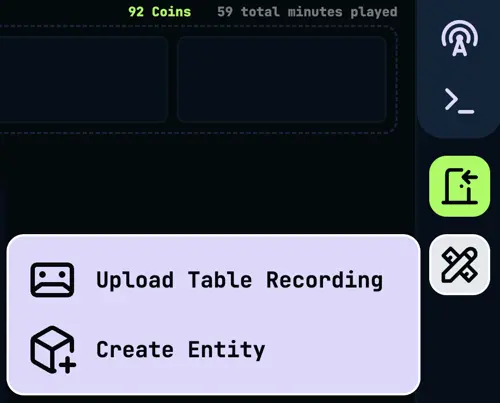
The Story Tools panel is accessible via the portal sidebar to anyone with the Collaborator role or above. It surfaces actions that would otherwise require navigating to a specific mode, so you can act on them from wherever you are in the realm.
If your group recorded a session outside of Realms of Shod, or you forgot to start recording, you can upload the audio file after the fact. The platform transcribes it, splits it into scenes, links compendium entities, and generates a session summary exactly as it would during a live session.
Accepted formats: MP3, M4A, AAC, OGG, Opus, WAV, WebM, and FLAC. Files must be under 500 MB and no longer than six hours. The upload form shows the detected duration and an estimated coin cost before you commit. Processing happens asynchronously after the upload completes and can take up to 20 minutes depending on the length of the recording.
The upload button is disabled while a live session is active to prevent conflicts.
Opens the entity creation form without leaving your current mode. Useful when a new character, location, or item comes up mid-session and you want to add it to the compendium right away.
Fill in a name, choose an entity type, optionally add a description, and set which realm members can see it. The entity is created immediately and available for linking in transcripts and messages. Relationships can be added to the entity afterwards from the compendium.
Opens the note creation form without leaving your current mode. Give it a name and start writing, or set access if you want to share it right away. See Notes for the full editor and sharing reference.
Opens a guided creative-writing exercise about one of your characters. Pick a format, choose which entity you are writing from the point of view of, and answer a short series of prompts. Once published, it posts to the Gamestream for the rest of the realm to read.
You can optionally publish it as a Shadow instead, typically for a small fraction of a coin. See Backstory Exploration in the Gamestream doc for how that changes what others see.